The agentic commerce stack just got its shipping layer
Payments moved into chat. Storefronts and customer support followed. Logistics was the last layer still living outside the AI client. That gap closes today.
Stripe and OpenAI shipped the Agentic Commerce Protocol in late 2025. Microsoft Copilot Checkout went live in January 2026 with Shopify, PayPal, and Stripe as launch partners. Shopify followed with four MCP servers, including a Storefront MCP endpoint for every Shopify store. Every layer of the commerce stack has been racing to plug into MCP. Shipping was the obvious missing piece.
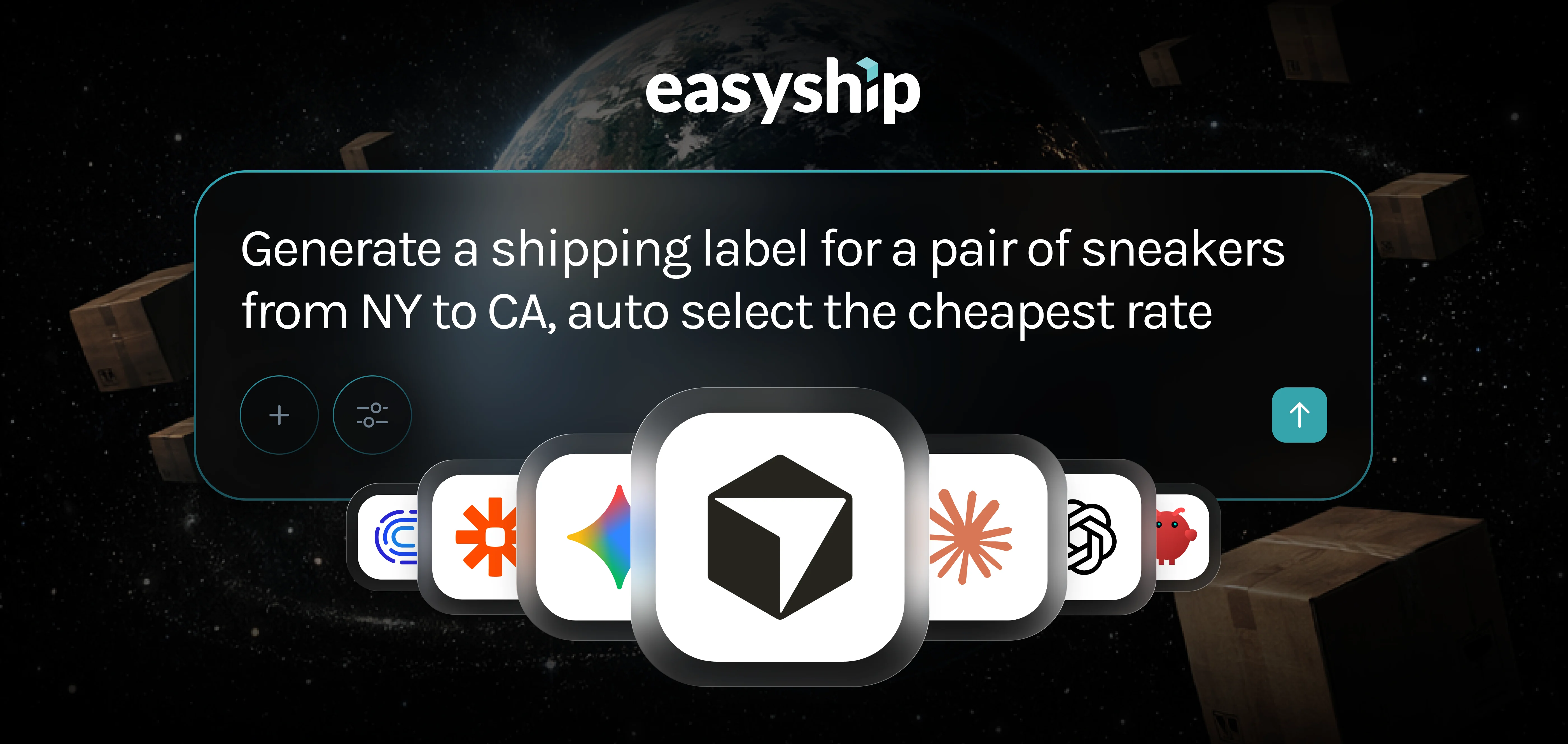
The Easyship MCP Server fills it. From a single prompt, your AI agent can compare rates, buy labels, and pull analytics across 550+ courier services and 200+ countries and territories. Address validation, pickup scheduling, and landed-cost calculation come with it. The same shipping infrastructure already moving hundreds of millions of packages a year is now callable in plain language inside Claude, ChatGPT, Cursor, Gemini, or any other MCP-compatible client.
"MCP is the universal adapter the developer ecosystem chose, and the commerce stack has been racing to plug into it. The shipping technology layer is complex, with dynamic rates, unique carrier logic, and customs rules that don't compress easily into a single API endpoint. We built the Easyship MCP Server so any AI agent can tap into 550+ global services with a single prompt and get back a real, printable label, or live shipping data on how to reduce fulfillment costs."
Paul Lugagne-Delpon, Co-Founder and CTO, Easyship
What's in the Easyship MCP Server?
The Easyship MCP Server connects Easyship's full shipping API infrastructure to any AI client that supports the Model Context Protocol, the open standard developed by Anthropic and now adopted by Stripe, PayPal, Slack, Atlassian, and Shopify.
The Easyship MCP Server ships 25 shipping and cross-border tools, grouped into eight categories:
| Category |
What You Get |
| Rates |
Live multi-carrier rate comparison with pre-negotiated discounts up to 91% off retail |
| Shipments |
Create, update, cancel, retrieve, and track shipments end-to-end |
| Labels |
Generate domestic and international labels, plus customs paperwork |
| Address Validation |
Verify destinations across 200+ countries and territories |
| Tax And Duty |
Real-time landed cost calculation for cross-border orders |
| Pickups |
Check carrier slots, schedule collection, and list scheduled pickups |
| Tracking |
Live status, delivery ETA, and full checkpoint history |
| Billing And Analytics |
Transaction logs, shipment volume trends, top couriers, carrier-mix reports |
Each tool runs against the same enterprise-grade API trusted by 100,000+ Easyship merchants today, with 99.99% uptime and pre-negotiated discounts of up to 91% off retail rates baked in.
What can you build with the Easyship MCP Server?
The Easyship MCP Server matches the depth of a real shipping operation, stage by stage. Here's how it maps to the actual workflow.
1. Before you ship
Get everything in order before a single label is printed.
• Validate domestic and international addresses to prevent delivery failures
• Compare live rates across carriers and apply custom selection logic (cheapest, fastest, best value)
• Sync and review unfulfilled orders across your sales channels
2. Fulfillment
Move from order to label without manual work.
• Generate domestic and international shipping labels in bulk
• Apply dynamic carrier selection rules based on order value, weight, or priority
• Retrieve customs documents and packing slips for any shipment
3. Post-purchase and returns
Keep customers informed and handle the unexpected.
• Track shipments in real time with full checkpoint history
• Automate WISMO (“where is my order”) responses and proactive status updates
• Create and manage return shipments and reverse logistics
4. Reporting and insights
Understand the operation without building a single report.
• Query shipment volumes across any time period
• Break down spend by courier, destination, or order type
• Access transaction and billing summaries on demand
Who is the Easyship MCP Server for?
The Easyship MCP Server serves three audiences.
eCommerce merchants running lean shipping operations. Your AI assistant can now handle rate comparison, label generation, and tracking inside the same chat where you run the rest of the business. No tab-hopping between carrier portals, customs forms, and tracking pages.
AI builders and agents. Bots that read order data can now issue a shipping label, schedule a pickup, or compare carrier discounts on their own. Informational agents become transactional.
Developers shipping faster. Point an AI coding agent at the Easyship MCP Server and auto-generate multi-carrier shipping integrations with built-in logistics context. No manual API configuration, no SDK glue code.
"Most merchants don't want to learn another tool. They want their AI assistant to handle the shipping work and reduce the time they spend on fulfillment. An operations lead can ask for the cheapest cross-border option and get a printable label in the same chat. A customer service bot can issue a return and generate a label without escalating to a human. A founder can pull last quarter's carrier mix without opening a spreadsheet. That's the new bar for AI in shipping. Anything less is a demo."
Tommaso Tamburnotti, Co-Founder, Easyship
Which AI platforms support the Easyship MCP Server?
The Easyship MCP Server runs on any platform that supports the Model Context Protocol.
AI Coding Environments
| Platform |
How To Connect |
| Cursor |
Marketplace plugin or manual config |
| Windsurf |
Manual MCP setup |
| Antigravity |
Manual MCP setup |
| VS Code |
.vscode/mcp.json config file |
Chat & Assistant Apps
| Platform |
How To Connect |
| Claude Desktop |
Config file or AI Toolkit |
| Claude Code |
/plugin install or CLI command |
| ChatGPT |
Via OpenAI Responses API (Bearer token). Native plugin pending OAuth support |
Cloud AI & APIs
| Platform |
How To Connect |
| OpenAI Responses API And Agents SDK |
Pass Bearer token in headers |
| Gemini CLI |
gemini extensions install |
| Codex CLI |
~/.codex/config.toml |
Workflow Automation Tools
| Platform |
How To Connect |
| n8n |
Native MCP Client Tool action |
| Make |
Native MCP Client Tool action |
| Zapier |
Native MCP Client Tool action |
| Activepieces |
Native MCP Client Tool action |
| Celigo |
Native MCP Client Tool action |
The Easyship MCP Server is also listed on the official MCP Registry at registry.modelcontextprotocol.io.
How does the Easyship MCP Server work?
The Easyship MCP Server takes a plain-language request and runs it against live carrier infrastructure. You describe what you need the same way you'd ask a colleague.
1. Your AI agent picks up the intent from context.
2. MCP routes the request to the right Easyship operation.
3. Easyship runs it against live carrier infrastructure in real time.
4. You get the result back in chat: a rate, a label, a tracking update, a report.
All the carrier logic and API handling stays out of view. The same 99.99% API uptime SLA that powers Easyship's enterprise customers powers the MCP server underneath.
How does the Easyship MCP Server differ from the Easyship API?
The Easyship MCP Server sits on top of the same API but collapses the integration work into natural language. A direct Easyship API integration requires writing code for each endpoint, formatting payloads, and parsing responses. With MCP, the AI agent sends intent and MCP handles execution. Development effort drops, and the same enterprise-grade API powers both paths underneath.
What actions can the Easyship MCP Server perform?
The Easyship MCP Server exposes 25 callable tools. Below is each one, what it does, and a sample prompt that triggers it.
Rates
| Tool |
What It Does |
Try This Prompt |
| get_rates |
Compare courier options with pre-negotiated discounted rates and delivery times |
“I want to ship a 0.9 kg parcel (6×4×2 cm) from New York, US 10001 to Toronto, Canada M5B 2H1. Category: documents, HS Code 4911.99, declared value $1.00 USD, DDU. Show me the cheapest and fastest options.” |
Shipments
| Tool |
What It Does |
Try This Prompt |
| create_shipment |
Create a shipment with addresses and package details |
“Create a draft shipment (don't buy a label yet). From: Jane Sender, 350 5th Ave, NY 10001. To: John Doe, 220 Yonge St, Toronto, M5B 2H1. Package: 0.12 kg. Item: book, qty 1, $8.00 USD, DDU.” |
| create_label |
Buy and generate a shipping label for an existing shipment ID |
“Buy a label for shipment ESSG10006001 and give me the download link.” |
| get_shipment |
Look up shipment status, costs, and document links |
“Pull up shipment ESSG10006001. I need the full details with document links.” |
| track_shipment |
See tracking status, delivery estimate, and recent events |
“Track shipment ESSG10006001. Latest status, ETA, and last three events.” |
| update_shipment |
Fix or change details on a shipment before it ships |
“For shipment ESSG10006001, update the destination phone to +1 416-555-0200.” |
| cancel_shipment |
Cancel a pre-transit shipment |
“Cancel shipment ESSG10006001 and tell me if it succeeded.” |
Pickups
| Tool |
What It Does |
Try This Prompt |
| get_pickup_slots |
See available pickup time slots for a courier |
“For shipment ESSG10006001, fetch pickup slots for the next 3 days.” |
| create_pickup |
Book the courier to collect packages |
“Schedule a pickup for ESSG10006001 for 2026-04-18, 09:00 to 12:00.” |
| list_pickups |
See pickups you've arranged by date or status |
“Show my pickups for 2026-04-18.” |
Billing & Analytics
| Tool |
What It Does |
Try This Prompt |
| list_transactions |
Review account charges and credits |
“Pull transactions for March 2026 and summarize charges.” |
| analytics_shipments |
Shipment volume trends over time |
“Shipment volume analytics 2026-01-09 to 2026-04-09.” |
| analytics_top_couriers |
Top carriers ranked by volume |
“Which couriers did I use most between Jan and April 2026?” |
How can you connect to the Easyship MCP Server?
The Easyship MCP Server offers two connection methods.
Remote (recommended for most users). Connect directly to https://mcp.easyship.com/mcp using your Bearer token. No installation, no local dependencies.
Local. Run easyship-mcp on your machine via uvx. Requires Python 3.8+ and uv installed.
How do you get started with the Easyship MCP Server?
The Easyship MCP Server is available to all new and existing Easyship account holders at no additional cost.
1. Sign up for a free Easyship account at easyship.com.
2. Generate an API token from the Easyship Dashboard with the required shipping, label, tracking, and analytics scopes.
3. Visit the developer documentation at developers.easyship.com/docs/easyship-mcp-server for platform-specific setup instructions.
4. Add the Easyship MCP Server to your AI client and paste the token into the secure settings menu.
5. Type a shipping request in natural language. Your AI agent handles the rest.
What are the security best practices for the Easyship MCP Server?
The Easyship MCP Server handles sensitive shipping data, so follow these practices when setting up the integration.
• Store API keys in environment variables. Never commit them to version control.
• Use separate API tokens for development, staging, and production environments.
• Scope tokens to the minimum permissions your workflow requires.
• Validate addresses before creating shipments to prevent fulfillment errors.
• Monitor API usage for unusual patterns and apply rate limiting in production.
The Easyship platform includes built-in security features to support compliant, production-ready integrations.
Start shipping with AI today
Agentic commerce is becoming the default. The Easyship MCP Server is the shipping layer that runs underneath it.
Sign up for a free Easyship account, install the server, and run your first prompt. From there, hook the same MCP into your Shopify store, your customer service bot, or your finance team's analytics workflow.
AI Shipping FAQs
What is the Easyship MCP Server?
The Easyship MCP Server is a developer integration that exposes Easyship's shipping capabilities (rate fetching, label creation, tracking, address validation, analytics, and more) as callable tools for MCP-compatible AI clients. AI agents can execute real shipping actions through natural language instructions instead of direct API calls.
What AI tools are compatible with the Easyship MCP Server?
Any MCP-compatible client. Confirmed support today: Claude (Desktop and Code), ChatGPT (via OpenAI Responses API), Cursor, Windsurf, Antigravity, OpenAI Agents SDK, Gemini CLI, Codex CLI, and VS Code. Workflow automation tools n8n, Make, Zapier, Activepieces, and Celigo also work natively.
What API scopes do I need to get started?
Scope requirements depend on the features you use. Core workflows require public.shipment:write, public.shipment:read, public.label:write, and public.track:read. Address validation, pickup management, and transaction access each have their own dedicated scopes that can be enabled as needed.
Does the Easyship MCP Server support international shipping?
Yes. The server supports international shipment creation, cross-border address validation, customs document generation, real-time tax and duty calculation for 200+ countries and territories, and carrier selection for global routes. All accessible through natural language prompts.
How is this different from using the Easyship API directly?
A direct API integration requires writing code for each endpoint, managing payload formatting, and handling response parsing. With MCP, the AI agent sends natural language intent and MCP handles the API execution behind the scenes. Development effort drops significantly when building agentic shipping workflows.
How long does setup take?
Basic setup typically takes a few minutes. You need an active Easyship account, an API token with the relevant scopes, and an MCP-compatible client. Workflows with custom business logic or multi-system integrations may take longer to configure and test.
Is the Easyship MCP Server secure for production use?
Yes, when implemented with proper practices. Use environment-specific API tokens, restrict scopes to the workflow's actual needs, store credentials in environment variables rather than in code, and validate addresses before creating shipments. The Easyship platform includes built-in security features to support production-grade deployments.
Can I create a shipment without immediately buying a label?
Yes. Omit buy_label or set it to false when creating the shipment. The shipment saves in draft state, and you can purchase the label separately using create_label when ready.
Will fetching rates cost me anything?
No. Fetching rates, listing shipments, tracking, and analytics queries are all free. Credits are only consumed when you purchase a label or book a courier pickup.
Do my existing Easyship shipping rules and automation settings apply?
Yes. All shipping rules, rate preferences, and automation settings apply to shipments created through MCP exactly as they do in the dashboard.
Can I use this with Shopify?
Yes. Connect your AI agent to both Shopify and the Easyship MCP Server to manage cross-platform order fulfillment in one chat. Pull unfulfilled orders from Shopify and create shipments, buy labels, or schedule pickups through Easyship without switching tools.
Where can I find the package and source code?
The easyship-mcp package is available on PyPI. The AI Toolkit is on GitHub. The server is also listed on the MCP Registry. To update to the latest version: pip install --upgrade easyship-mcp.
.svg)
.svg)




.svg)


.svg)
.svg)
.svg)

.svg)
.svg)